PandaText / Articles / We use Tiptap on the web. What do we use for iOS and Android?
We use Tiptap on the web. What do we use for iOS and Android?
Tiptap is a web editor, so a team that needs a phone app has to pick a route: run Tiptap inside the app, use a different editor on the phones, or use one editor on all of them.
I make the third kind, so read this with that in mind. What I say about the other products comes from their own documentation, checked on 24 November 2026 and listed under Sources.
1. Tiptap inside a WebView
This is the route Tiptap's mobile guide describes. A WebView shows the editor, your native code draws the toolbar, and the two exchange JSON messages. It works on iOS, Android, React Native and Flutter. The app uses the same extensions as your web editor, so your documents need no conversion.
Tiptap marks the guide as experimental and asks you to copy the parts you need and own them. It also lists what to expect: the caret can end up behind the keyboard, the editor does not grow with its content, and Return inside a table cell adds a line.
Two community projects start further along. 10Tap packages Tiptap in a WebView for React Native. tiptap-flutter keeps Tiptap running in a hidden WebView and draws the document with Flutter widgets.
Choose it when your documents depend on Tiptap extensions, and a web editing surface is fine on a phone. In a WebView, the browser on that phone chooses where the lines break.
2. A native editor on the phones
In React Native, Expo's guide tells most apps to start with one of two free libraries from Software Mansion. react-native-enriched-html, named react-native-enriched before, edits and returns HTML on iOS, Android and the web, under the MIT license. Enriched Markdown is a native editor with Markdown output.
Tiptap can export HTML, so HTML can be the bridge. Check that the phone editor understands each node and mark your web editor produces, and that a document survives the trip in both directions. Custom extensions need the most care.
If you pick a different editor for each platform, Expo points out that you also have to unify their APIs and input formats. And since a native editor draws through the platform's text system, iOS and Android can wrap the same text differently.
Choose it when the phone app mostly needs comments, messages or short notes, HTML or Markdown already is your storage format, and it doesn't matter where lines end.
3. One editor on every platform
Here the same engine lays the text out in the browser and on the phones, and the editor on each is built on it. You change the web editor too, which is the cost of this route. In return the app has one API and one set of line breaks to test.
Your app stores text and style runs, so existing Tiptap documents need a conversion. Start with the documents people edit on more than one device.
Choose it when positions matter: a comment, highlight or drawing has to stay on its word, or a person edits the same long document on a laptop and a phone.
How PandaText handles this
PandaText is the third route. One engine breaks the lines on iOS, macOS, Android and the web, so with the same font files they end on the same words. The keyboard, the IME and accessibility come from the platform, and phones use native views.
You pass it text with style runs for bold, italic, color, highlight and size. Paragraphs can carry list markers. The feature list says what is available on each platform, so compare it with the extensions you use. Setup is in the docs for the web, iOS and macOS, Android, React Native and Flutter.
Choose a route
- List your extensions. Write down every Tiptap node and mark your documents use, custom ones included.
- Mark what the phone must edit. Some content may only need to be shown on a phone. That part can stay simple.
- Decide whether line breaks matter. If something is anchored to a word or a line, open one document on both phones and in the browser and compare where the lines end.
- Try one real document. Open it, edit it on a phone, and send it back to the web. Check what changed besides your edit.
Questions
Does Tiptap have a native iOS or Android editor?
Its mobile guide renders the editor in a WebView on iOS, Android, React Native and Flutter, and drives it from native code with JSON messages.
Can we keep Tiptap on the web and use another editor on the phones?
Yes, if both editors agree on a document format. HTML is one both sides can support. Test every node and mark your documents use in both directions.
Can PandaText replace Tiptap on the web?
It can when your documents are text, lists and character formatting. If they depend on Tiptap extensions, keep Tiptap on the web.
Sources
- Tiptap for mobile apps (Tiptap docs)
- 10Tap editor
- tiptap-flutter
- Edit rich text (Expo docs)
- React Native Enriched HTML: getting started
- React Native Enriched HTML: comparison with other libraries
- Enriched Markdown: getting started
Related articles
PandaText or React Native Enriched HTML?
Two rich text editors for React Native. How they differ in line breaks, storage format, platforms and license, and when to choose each.
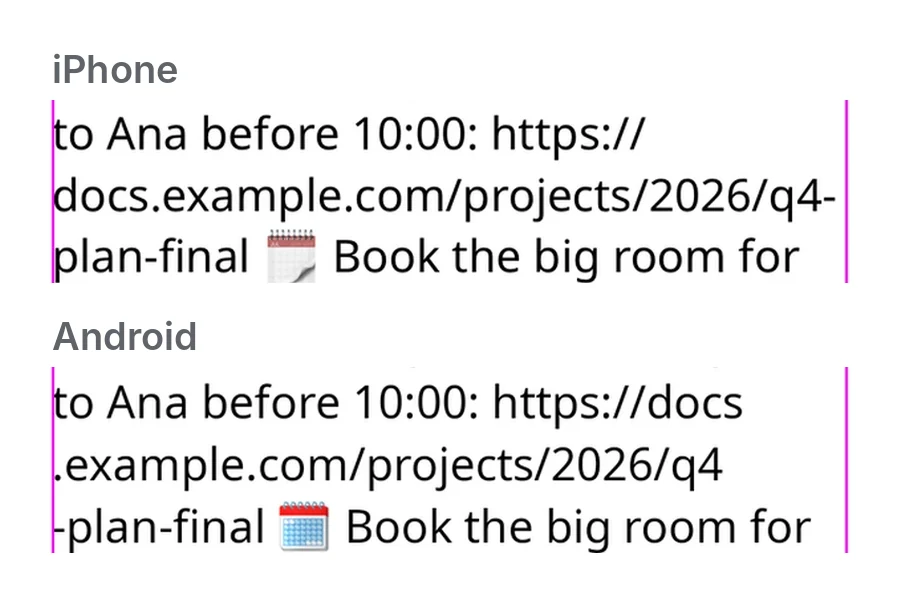
How to keep the same line breaks on iOS, Android and the web
One note with one font file broke four ways on iPhone, Android, Chrome, Safari and Firefox. What a shared engine has to own to fix that.